
AI Image Translator
Translate text inside any photo with AI Image Translator — preserve layout, fonts and style, and get clean results in seconds.
Feedback

freeTrialImage.bannerPity
freeTrialImage.upgradeUnlock
- ✓freeTrialImage.benefitHd
- ✓freeTrialImage.benefitWatermark
- ✓freeTrialImage.benefitUnlimited
AI Tools
Explore AI tools


What Is AI Image Translator?
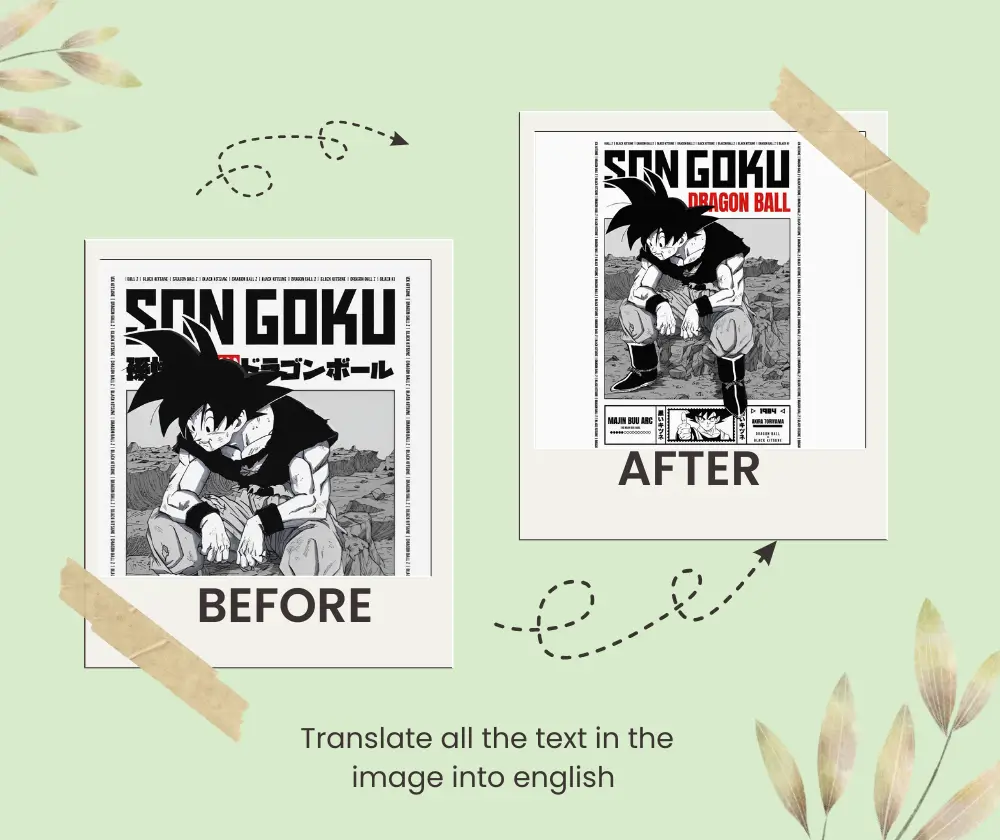
AI Image Translator finds and converts text inside photos, then rebuilds the background and re-renders the words in the original layout, font and style. This browser-based photo translator handles menus, packaging, screenshots and scans — no account needed.
- Keeps Original LayoutMaintains spacing, alignment and typography, so every translated image still looks natural and on-brand.
- Fast, No Sign-UpOpen the tool and translate photos right in your browser — no registration, no downloads, no friction.
- Works Across LanguagesHandles major world languages plus complex scripts such as Chinese and Arabic with reliable accuracy.
How AI Image Translator Works in 3 Steps
Upload a photo, pick the target language, then preview and download the translated image — AI Image Translator handles the rest in three quick steps.
Why Choose AI Image Translator
AI Image Translator combines OCR with generative inpainting to swap image text without ruining the design — it removes the original characters, fills the background, and places translated copy exactly where it belongs.
Design-Faithful Layout
Spacing, graphics and diagrams stay untouched, so the translated version matches the source image.
Style-Aware Text Rendering
Recreates translated copy with the same font, color and size, so results look like they were designed that way.
Quick and Free
Run photos through the browser in seconds — no account required and very little waiting.
Broad Language Coverage
Covers everyday and complex languages for menus, product labels, screenshots and more.
Built for Documents
Convert scanned manuals, diagrams and packaging while keeping the original formatting in place.
Ready to Download
Check the result, then download a translated image that’s ready to publish or share.
AI Image Translator: Common Questions
Get clear answers about how AI Image Translator works, what it costs, and which languages it supports.
What exactly does AI Image Translator do?
It converts text inside photos into another language while keeping the original layout, fonts and visual style intact.
Can I use AI Image Translator for free?
Yes. Basic image translation works right in your browser with no signup, so you can try it at no cost.
Will the translated image keep its original design?
Absolutely. AI Image Translator fills in the background and re-renders the text so the final image matches the source design.
Can AI Image Translator handle screenshots and scanned files?
Yes. It works with screenshots, menu photos, product labels, scanned documents and similar image types.
Which languages does AI Image Translator support?
It covers major global languages plus many complex scripts, with strong accuracy across common use cases.
Why should I use AI Image Translator?
It’s fast, design-aware and account-free — a practical choice for travel, e-commerce, documentation and everyday photo translation.
Translate Any Image with AI Image Translator
Upload a photo, convert the text inside it, and download a clean translated image — AI Image Translator makes it fast and simple.