
AI Watermark Remover
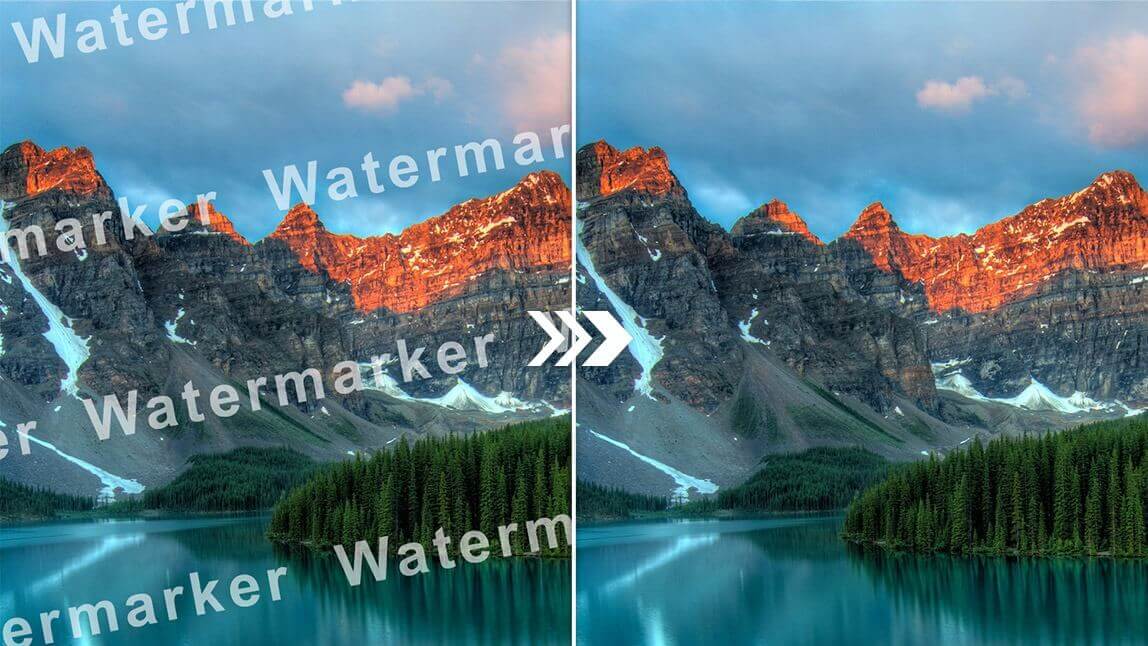
Strip logos, captions, and stamps from any photo in seconds. This AI Watermark Remover rebuilds the background so every edit looks untouched and crisp.
Feedback
AI Tools
Explore AI tools
Muse Video
Seedance2.5
The Future of AI Video Is Here.

Seedance 2.0
The Future of AI Video Is Here.

Veo3.1
Create Stunning Videos with Veo3.1
Grok Video Generator
Create Videos from Text or Images with AI
MiniMax H3 video generator
MiniMax H3 AI Video Generator

Seedance 2.0
The Future of AI Video Is Here.

Gemini Omni 1.2 Flash

Your Go-To AI Watermark Remover for Flawless Photos
This AI Watermark Remover spots stamps, brand marks, and captions on its own, then rebuilds the surrounding texture so nothing looks patched or blurred.
- Queue Many PhotosDrop a whole folder of shots and clean them together instead of one at a time.
- Finds Marks for YouThe engine traces logos, timestamps, and repeated stamps without manual masking.
- Texture-Aware FillEdges, grain, and gradients are recreated so the repaired area blends into the rest of the frame.
Clean a Photo in Three Quick Moves
Three steps stand between you and a spotless image: upload the file, let the AI Watermark Remover map the marks, then save the finished result.
Features That Set This AI Watermark Remover Apart
One workspace covers stock photos, store listings, and social posts — the AI Watermark Remover adapts to each watermark style it meets.
Bulk Uploads
Clean dozens of photos in a single pass.
Smart Scanning
Marks are located for you, no masking needed.
Full-Frame Coverage
Handles large overlays and tiled patterns too.
Seconds, Not Minutes
Most images come back in under a minute.
True-to-Life Fill
Grain, color, and shading stay intact.
Original Quality Out
Export at the same size you uploaded.
Questions About the AI Watermark Remover
Straight answers on speed, quality, pricing, and the watermark types this AI Watermark Remover can handle.
What exactly does this tool do?
It is a browser-based utility that lifts logos, captions, and overlays off a picture and fills the gap with matching background detail.
Can I clean several photos at once?
Yes — upload a batch and the AI Watermark Remover works through the whole set, which is handy for large catalogs.
How long does one image take?
Most files finish within a minute; you upload, wait for the progress bar, and download the finished picture.
Will the edit damage my photo?
Resolution, grain, and color stay as they were — only the marked area is rebuilt, so the rest of the frame is untouched.
Do I have to pay to use it?
Standard removals cost nothing. Extra credits unlock heavier batches and advanced options when you need them.
Which watermark styles can it erase?
Stock-agency stamps, social handles, store badges, document seals, and full-screen overlays are all within reach.
Give Every Photo a Spotless Finish
Drop your image in, watch the AI Watermark Remover rebuild the background, and download a crisp, watermark-free file — no sign-up needed.